Salesforce Tasks represent to-dos and follow-up activities linked to records in your CRM. Capturing Task data from WordPress forms lets you create actionable follow-ups directly from website interactions.
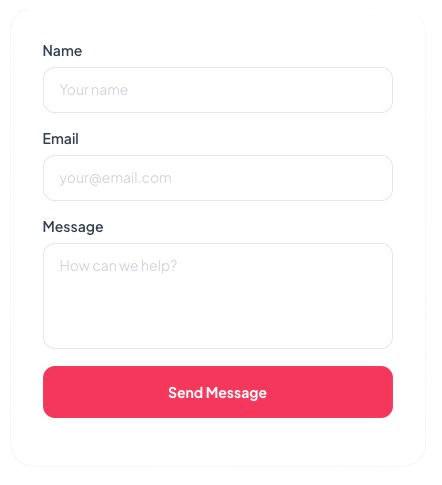
Just select the Task fields to include, add your shortcode, publish. Use the form interface to setup instantly. Also works with Elementor.
Trusted by 200+ of the world’s biggest organizations
Practical scenarios for capturing Task data from your WordPress site directly into Salesforce.
Sales Team
When a prospect fills in a contact form on your WordPress site, Sawfish creates a follow-up Task in Salesforce automatically — so no lead ever falls through the cracks.
Download Now →Customer Success
Create onboarding Tasks in Salesforce automatically when a new customer submits a WordPress form — no manual setup and no missed steps.
Download Now →Operations
Let team members submit internal requests via a WordPress form and have them appear as Tasks in Salesforce automatically for tracking and assignment.
Download Now →Task forms are Just the Beginning
Display real-time Salesforce data anywhere on your site — forms, tables, directories, calendars, and more. One plugin, unlimited possibilities.
Works with custom forms and Elementor form builder!
Sawfish gave us the ability to publish all our jobs in Salesforce onto our website in real-time, dramatically increasing the number of job applicants, candidates, and placements with our clients. Upon go-live, we saw immediate traction on published jobs, applications, candidate presentations, and overall job placements. Allen is amazing — very experienced, professional, responsive, and efficient — and the connection works like a charm!
Frankie Farrar-Helm
Director of Marketing
Western Healthcare, LLC
We represent over 75,000 public service workers and care providers in Oregon. Our leadership rosters were manually updated and always out of date. Sawfish plugin makes Salesforce data, like leadership rosters and steward lists, available on our public website. Members can find and contact union representatives without calling the Member Assistance Center.
Sarah Schneider
Service Employees International Union (SEIU) Local 503
Save thousands on development costs — one flat fee for your whole team. Trusted by 200+ organizations.
Annual
per month · paid annually
Can be used by everyone in your team!
✓ Create Unlimited pages with Cards, Tables, Calendars using Salesforce data
✓ Custom layouts with images, links, YouTube URLs
✓ WordPress-Salesforce logins for unlimited users
✓ Real-time info from Salesforce
✓ Connect to ANY form
✓ Update and Create Salesforce records
✓ Connect Elementor Pro forms
✓ Real-time Charts & Dashboards
✓ Dedicated Support & Installation Assistance
✓ Latest Feature Updates
2-Year Plan
per month · paid every 2 years
Can be used by everyone in your team!
✓ Create Unlimited pages with Cards, Tables, Calendars using Salesforce data
✓ Custom layouts with images, links, YouTube URLs
✓ WordPress-Salesforce logins for unlimited users
✓ Real-time info from Salesforce
✓ Connect to ANY form
✓ Update and Create Salesforce records
✓ Connect Elementor Pro forms
✓ Real-time Charts & Dashboards
✓ Dedicated Support & Installation Assistance
✓ Latest Feature Updates
Fewer errors, less manual data entry. Keep your own design. No add-ons or extra costs.
| Sawfish Plugin | SF Dynamic Forms | SF Screenflow | Formstack | FormAssembly | |
|---|---|---|---|---|---|
| Where do forms live? | Your WordPress website | Salesforce UI | Salesforce UI | Formstack server | FormAssembly server |
| Who can submit? | Anyone on your website | Salesforce users only | Salesforce users only | Accessible via link | Accessible via link |
| Form styling? | Matches your site exactly | Salesforce UI | Salesforce UI | Formstack builder | FormAssembly builder |
| Submissions | Unlimited | Unlimited | Unlimited | 500–2,000/mo | Unlimited |
| Price | $19 per month — whole org |
No extra cost | No extra cost | $400+ /month |
$83+ /month/user |
Common questions about creating Salesforce Task forms in WordPress.
Yes — use the WhoId field to link a Task to a Lead or Contact. Include it as a hidden field with the relevant record ID and Salesforce will associate the Task automatically.
Yes, any custom field on the Task object can be mapped using its API name (e.g. Custom_Field__c) as the input name attribute.
Add a hidden ActivityDate field with a fixed value or calculate it server-side. You can also let users set it via a date input mapped to ActivityDate.
Yes — Sawfish submits data via the Salesforce API so all standard and custom validation rules on the Task object are enforced before the record is created.
Yes — Tasks created through the form behave like normal Salesforce records, so your flows, assignment rules, and other automation can run as usual.
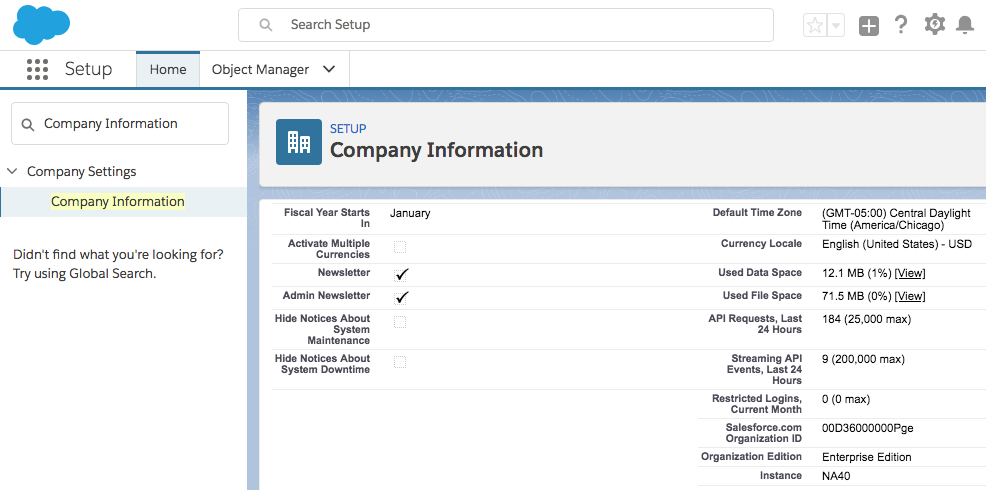
Sawfish requires API access, available on Enterprise, Unlimited, and Developer editions. It does not work on Contact, Group, or Professional editions. Check our docs to verify your edition →
Sawfish is $19/month billed annually — one flat fee covering your entire organization. Unlimited users, unlimited form submissions, no per-seat pricing. See full pricing →
No coding. No expensive add-ons. Works with your existing WordPress forms and themes.
We have sent you the payment confirmation to your email. We will reach out to you shortly with the installation file of the latest version.
If you would like to receive the download to another id, send us a quick email to
You can also read the installation steps and guide here.
Click the Gear icon on the top-right to open Setup and type in 'Company Information', then check the Organisation Edition field.